
The Complete Beginner’s Guide to Better Sound in Video Production
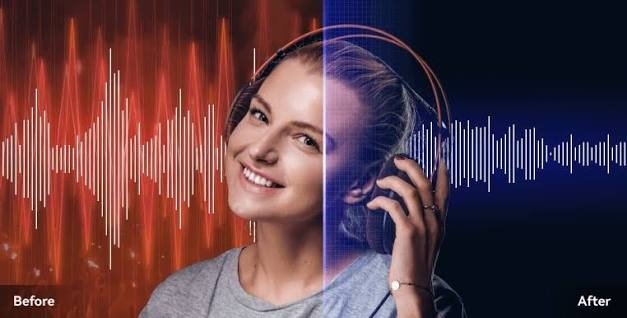
Video production involves more than recording attractive visuals. Sound is equally important because it helps communicate information, establish atmosphere, and keep viewers interested. Whether someone is creating educational videos, product demonstrations, interviews, or social media content, poor audio can make the final result difficult to enjoy.
Many beginners focus on cameras, lighting, and editing effects while overlooking sound quality. However, even a simple video can feel more polished when the speech is clear and distracting background sounds are controlled.
Understanding a few basic audio principles can help beginners create better videos without needing an expensive production setup.
Why Sound Is Important in Video Production
Audio helps viewers understand what is happening on screen. Narration explains important details, dialogue communicates ideas, and background sounds add context to a scene.
When the audio is unclear, viewers may struggle to follow the information. For example, a tutorial with excellent visuals can become frustrating if the instructor’s voice is covered by traffic or fan noise.
Clear sound also supports accessibility. Viewers who rely on spoken explanations need dialogue that is easy to understand, especially when the video contains technical instructions or educational material.
Start With a Suitable Recording Environment
The recording environment has a significant effect on the final sound. A noisy room can introduce unwanted sounds that remain audible throughout the video.
Before recording, identify possible sources of noise. Computers, air conditioners, refrigerators, traffic, and nearby conversations can all affect a microphone.
Whenever possible, choose a quiet room and turn off unnecessary equipment. Closing windows and doors may help reduce outside sounds.
Room acoustics also matter. Hard walls and empty spaces can create reflections that make voices sound distant. Soft furnishings, curtains, and carpets may help reduce excessive reflections.
A professional studio is not necessary for every project. A reasonably quiet and comfortable room can provide a good starting point.
Choose the Right Microphone Position
The microphone should capture the intended sound clearly without picking up too much unnecessary noise.
If you are recording narration, position the microphone at a comfortable distance from your mouth. If it is too far away, your voice may sound weak compared with environmental sounds.
For interviews, consider the distance between the microphone and each speaker. If one person is much farther away than another, their voice may sound quieter or less clear.
Before recording the complete video, make a short test and listen carefully. Adjust the microphone position until the speech sounds natural and understandable.
Monitor Audio While Recording
Checking audio during recording can prevent problems that are difficult to fix later.
If possible, use headphones to monitor the sound. Listen for background hum, wind noise, microphone handling, distortion, and changes in volume.
Pay attention to unexpected sounds as well. A passing vehicle or a chair moving across the floor may interrupt an otherwise good take.
When you notice a problem, pause and correct it before continuing. Recording a short section again is often easier than repairing a badly affected audio track during editing.
Understand Background Noise Removal
Sometimes, unwanted noise remains in a video even after careful recording. This can happen when filming outdoors, working in a busy environment, or recording with limited equipment.
Noise reduction can help make certain sounds less distracting. Depending on the recording, it may reduce steady humming, fan noise, or other unwanted background sounds.
Online tools such as Noise Remover can be explored by creators who want to work on noisy audio recordings.
The appropriate method depends on the type of noise and the quality of the original sound. Some recordings can be improved considerably, while others may remain challenging if the noise is extremely loud or overlaps heavily with speech.
Keep Dialogue Natural
When editing a video, the goal should be to improve the dialogue rather than make it sound artificial.
Excessive noise reduction can introduce digital artifacts or make a speaker’s voice sound robotic. Overprocessing may also remove details that help speech sound natural.
Compare the original and processed versions before deciding which one to use. The improved version should make the voice easier to understand while preserving its natural tone.
It is usually better to reduce distracting noise moderately than to apply aggressive processing without checking the result.
Balance Dialogue and Background Music
Background music can improve a video’s atmosphere, but it should not compete with the main voice.
If music is too loud, viewers may struggle to understand the narration. This is especially problematic in tutorials, instructional videos, and presentations where spoken information is essential.
Listen to the complete mix and adjust the levels so that dialogue remains clear. Music can be more prominent during sections without speech, but it should not overwhelm important information.
Sound effects should also be used carefully. Adding too many effects can make a video feel cluttered and distract viewers from the main message.
Edit Audio Alongside the Video
Audio editing should be considered part of the overall video production process rather than an afterthought.
Review the dialogue for unnecessary pauses, distracting clicks, sudden volume changes, and background interruptions. Remove unwanted sections when appropriate, while preserving natural pauses that help the conversation flow.
If the audio and video were recorded separately, check that the dialogue matches the movement on screen.
After editing, watch the video from beginning to end. This helps identify problems that may not be obvious when reviewing isolated sections.
Improve Outdoor Recording Quality
Outdoor filming creates additional challenges because the environment is less predictable.
Wind can cause strong low-frequency noise, while traffic, crowds, and nearby activities may interfere with speech. Choosing a sheltered location and positioning the microphone carefully can help reduce these problems.
If possible, record important dialogue away from busy roads and crowded areas. Use suitable wind protection when recording with equipment that supports it.
When unwanted sounds remain, try audio cleanup, but remember that heavily distorted or obscured speech may be difficult to restore completely.
Save Original Audio Files
Always preserve the original audio before applying significant changes.
Keeping a backup allows you to try different noise-reduction settings, adjust volume, or return to an earlier version if the processed audio sounds unnatural.
For larger projects, organize files into folders for original recordings, edited audio, music, and final exports. Clear file names can make later revisions much easier.
This is particularly helpful for creators who produce multiple videos or collaborate with editors.
Review the Final Video Before Publishing
Before uploading a video, listen to it using headphones and ordinary speakers if possible.
Check whether the dialogue is clear, the music is balanced, and any remaining background noise is distracting. Pay attention to sudden changes in volume and sections where speech becomes difficult to understand.
If the video contains important instructions, make sure every key sentence is audible.
A final quality check can prevent simple audio problems from affecting the entire viewing experience.
Conclusion
Better sound can make a major difference in video production. Beginners can improve their results by choosing a suitable recording environment, positioning microphones correctly, monitoring sound during recording, and balancing dialogue with other audio elements.
Noise-removal tools can also help when unwanted sounds remain in an existing recording. However, effective audio editing requires moderation and careful listening to preserve the natural quality of speech.
With a consistent recording routine and thoughtful editing, creators can produce clearer videos without needing expensive equipment or a professional studio. The most important goal is to ensure that viewers can hear the message comfortably and focus on the content.
