How to Stop Devastating Ransomware Attacks and Data Breaches
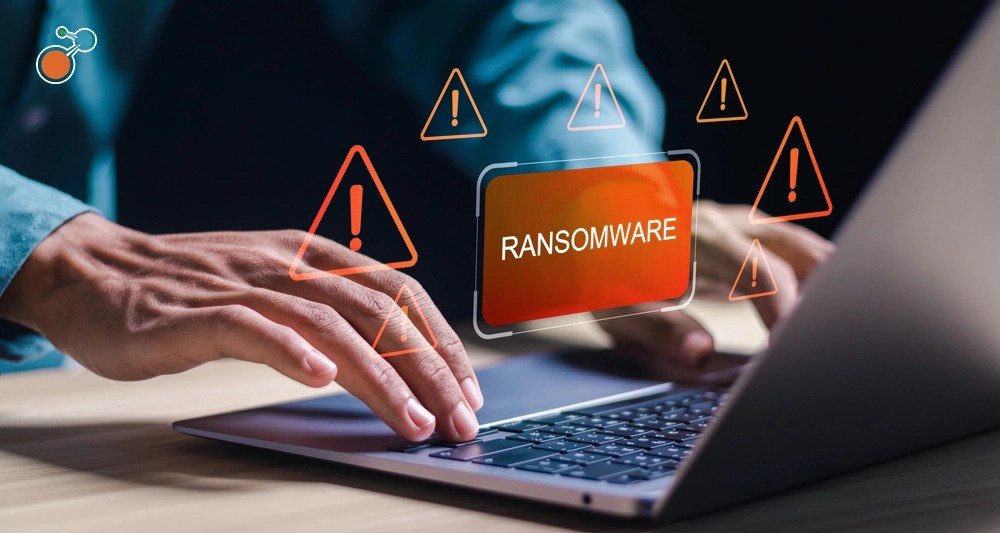
It starts with a normal-looking email. A staff member clicks a link, and by afternoon, every file on the shared drive is locked behind a ransom note. Nobody saw it coming, and nobody knows what to do next. This story is far more common than most owners think, and small firms are often the easiest targets.
The good news is that you can lower the risk and limit the damage with a few practical habits. In this guide, we walk through four layers of defense, from staff habits to cloud backup solutions for business, so one mistake does not become a disaster.
If you work with a managed service provider Orlando companies trust or handle IT yourself, these steps still apply.
Why These Attacks Hit Small Businesses Hard
Let’s start with two plain definitions. Ransomware will lock your files until you pay for it. A data breach, on the other hand, exposes private details, such as client records or payment data, to people who should never see them. Either one can stop a business in its tracks.
The ransom amount is just the beginning. You also face downtime, lost trust, legal duties, and hours of cleanup. Smaller firms feel this more because fewer people are watching the systems, and there is less cash to absorb a bad week.
How Attackers Usually Get In
Many people picture hackers cracking complex code. In reality, most attacks use everyday gaps. Fake emails and look-alike login pages trick staff into handing over passwords. Weak or reused passwords let criminals walk in with stolen logins. Devices and programs that missed updates leave known holes open.
Remote access tools left exposed give outsiders a direct door. Because these gaps are ordinary, they are also fixable. That is why many owners lean on a managed service provider Orlando businesses use to watch for them, since steady attention closes most of these doors before anyone tries them.
Layer One: Protect People and Accounts
With that in mind, the first layer is about people. Turn on multi-factor sign-in for email and key systems, so a stolen password alone is not enough. Next, give each person a unique password and use a password manager to keep track of them.
Short, regular training also helps staff spot fake emails. Then limit access, so each worker reaches only what the job needs. Finally, close accounts the day someone leaves, since forgotten logins are a common back door.
Layer Two: Keep Systems Patched and Watched
Once people are covered, turn to your devices and software. Install updates for operating systems, apps, and hardware as they come out, because attackers love known flaws. Add endpoint protection and email filtering to catch harmful files before they land. It also helps to keep guest Wi-Fi on a separate network, away from business systems.
Most importantly, watch for odd activity, such as logins at strange hours. A managed service provider Orlando firms hire can run this monitoring around the clock, which many small teams cannot do alone.
Layer Three: Backups That Can Save You
Even strong defenses can fail, so backups are your safety net. Good cloud backup solutions for business: copy your files on a set schedule and store them offsite, away from your office network. Many also keep older versions, so you can roll back to a clean copy from before an attack. A common guide is the 3-2-1 rule: keep three copies of your data, on two kinds of storage, with one copy kept offsite.
There is one catch. Ransomware can lock any backup that stays connected to your main network. For that reason, keep at least one copy separate or unchangeable, so criminals cannot reach it. Also, test your restores. A backup nobody has tried to open is only a guess. When you compare cloud backup solutions for business, ask how quickly files come back and how often the provider runs restore tests. Those two answers matter more than storage size.
Layer Four: Have a Plan Before You Need One
Prevention and backups work best when you also know what to do on the bad day. Write a short response plan that names who to call, how to unplug affected devices, and how to reach staff and clients. Next, decide which systems must return first, since not everything can come back at once.
Your plan should also cover reporting and notice rules, because some data losses carry legal duties. Keep in mind that paying a ransom does not guarantee your files come back. That is why a tested restore from cloud backup solutions for business is usually the safer route. Finally, practice the plan once a year, so nobody is learning it during a crisis.
When Outside Help Makes Sense
Not every business has a full-time IT person, and that is perfectly normal. If your team lacks the time to watch systems every day, outside support can fill the gap.
Before you pick one, ask a few plain questions.
- How do they monitor for threats?
- What is their plan if an attack does happen?
- What is their reaction time to a problem?
- Can they explain their answers without jargon?
A reliable managed service provider Orlando owners can reach quickly should answer all four clearly.
Final Thoughts
Stopping ransomware and data breaches takes four layers: careful people, updated systems, tested backups, and a clear plan. No single step makes an attack impossible, but together they reduce the risk. For businesses that want help putting these layers in place, CK Technology Partners, based in Longwood, offers proactive monitoring, cybersecurity, and cloud support for small and mid-sized firms.
As a managed service provider Orlando businesses can call, they focus on fixing problems early. Wondering how well you can defend yourself? Contact CK Technology Partners today and ask about cloud backup solutions for business.

