
Checkpoints Before Choosing HR Software Providers
Choosing the right HR software provider is an important decision for any organization looking to improve workforce management, payroll accuracy, employee engagement, and HR efficiency. With numerous HR technology providers offering different features, pricing models, integrations, and support packages, comparing solutions only by the number of features can lead to the wrong investment.
Before selecting an HR software provider, we should evaluate the platform against our organization’s actual HR requirements, workforce size, compliance needs, implementation capabilities, security standards, and future growth plans.
A structured evaluation helps us identify whether an HR solution can genuinely replace manual processes, reduce administrative work, improve data accuracy, and provide a scalable foundation for managing employees.
Looking for an HR Software Solution?
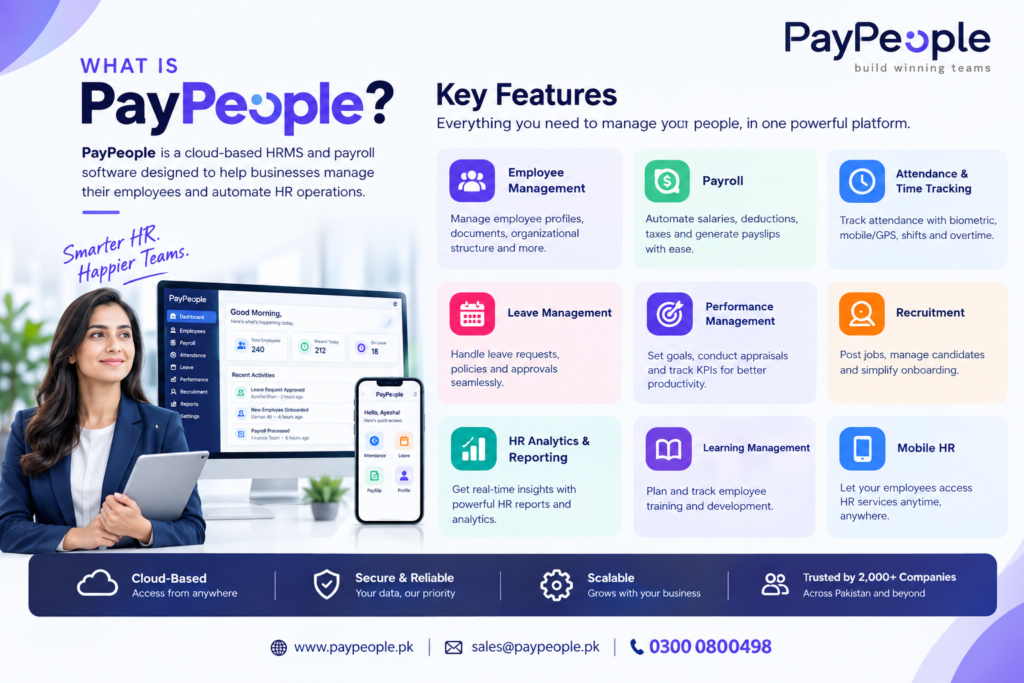
If you are evaluating HR software providers for your organization, PayPeople provides a cloud-based HR and payroll solution that brings employee management, attendance, payroll, leave, recruitment, performance management, and other HR processes together in one platform. Explore our HR Software in Pakistan solution to see how it can support your organization’s HR requirements.
1. Identify Our HR and Payroll Requirements
The first checkpoint before choosing an HR software provider is understanding what the organization actually needs.
Every business has different HR workflows. A small company may primarily need employee records, attendance, leave management, and payroll. A growing organization may require recruitment, onboarding, performance management, employee self-service, analytics, and advanced workforce management.
Before contacting HR software providers, we should document our current processes and identify the areas creating the most administrative workload.
Important requirements may include:
- Employee information management
- Attendance and time tracking
- Payroll processing
- Leave management
- Employee self-service
- Recruitment and onboarding
- Performance management
- Expense and loan management
- HR reporting and analytics
- Shift and workforce scheduling
- Compliance management
- Learning management
- HR automation
This requirements list becomes a practical checklist for comparing HR software providers.
2. Check Whether the HR Software Is Cloud-Based
A modern cloud HR software platform should allow authorized users to access HR information securely without depending on a specific office computer or local server.
Cloud-based HR software can be particularly useful for organizations with multiple branches, hybrid teams, field employees, or geographically distributed workforces.
Before choosing a provider, we should determine:
- Where the software is hosted
- How users access the system
- Whether mobile access is available
- How software updates are delivered
- Whether multiple locations can be managed
- What happens if the office server becomes unavailable
- Whether remote HR and payroll operations are supported
A cloud-based architecture can also reduce the operational burden associated with maintaining traditional HR infrastructure.
3. Evaluate Payroll Automation and Local Compliance
Payroll is one of the most sensitive HR processes because even small errors can affect employee satisfaction, financial reporting, and regulatory compliance.
When evaluating payroll software providers, we should examine whether the system can automate salary calculations, deductions, allowances, overtime, attendance-based calculations, loans, advances, and other payroll components.
For organizations operating in Pakistan, the provider should also demonstrate how its payroll system supports relevant statutory requirements, including applicable FBR, EOBI, PESSI, SESSI, and other payroll-related obligations.
Important payroll questions include:
- Can payroll calculations be automated?
- Can salary structures be customized?
- Can deductions and allowances be configured?
- Can attendance data flow into payroll?
- Can payroll reports be generated automatically?
- Can payslips be provided digitally?
- Can statutory deductions be managed?
- Can payroll records be audited?
- How are regulatory changes handled?
A strong HR software provider should clearly explain its payroll capabilities rather than simply claiming that it offers payroll automation.
4. Review Attendance and Time Management Features
Attendance management is another important checkpoint, particularly for organizations with large workforces, multiple shifts, field employees, or strict working-hour requirements.
The HR software should support the organization’s actual attendance methods rather than forcing HR teams to change established processes unnecessarily.
Depending on organizational requirements, useful capabilities may include:
- Biometric attendance integration
- Mobile attendance
- GPS-based attendance
- Geofencing
- Shift management
- Overtime tracking
- Late and early departure records
- Timesheets
- Attendance reports
- Automated payroll integration
We should also check whether attendance data can automatically flow into payroll. Connecting attendance and payroll can reduce repetitive data entry and minimize calculation errors.
5. Examine Employee Self-Service Capabilities
An effective HR management system should not require HR staff to handle every employee request manually.
Employee Self-Service, commonly known as ESS, allows employees to access relevant information and perform routine HR activities through a centralized platform.
Depending on the software, employees may be able to:
- View payslips
- Submit leave requests
- Check attendance
- Review personal information
- Submit timesheets
- View schedules
- Track performance information
- Access HR documents
- Submit requests
This can reduce repetitive HR queries and allow HR teams to focus on higher-value activities.
6. Assess Integration Capabilities
HR software rarely operates in isolation. Organizations may already use accounting software, biometric devices, recruitment platforms, communication tools, banking systems, or other business applications.
Before choosing an HR software provider, we should determine whether the platform supports the integrations required by the organization.
Questions to ask include:
- Does it integrate with biometric devices?
- Can payroll data connect with accounting systems?
- Are APIs available?
- Can employee information be imported and exported?
- Does the system support third-party integrations?
- Can existing HR data be migrated?
- Are integrations included in the selected pricing plan?
A system with strong integration capabilities can help create a connected HR technology environment instead of another isolated database.
7. Check Data Security and Access Controls
HR software stores sensitive information such as employee identities, salaries, bank information, attendance records, performance data, and employment documents.
Security should therefore be a central part of the provider evaluation process.
We should ask potential HR software providers about:
- Data encryption
- User authentication
- Role-based access
- Permission management
- Backup procedures
- Disaster recovery
- Audit logs
- Data storage
- Account security
- Employee data privacy
- System monitoring
We should also determine whether administrators can control who can view or modify sensitive employee information.
8. Evaluate Scalability Before Choosing an HR Software Provider
HR software should support the organization not only today but also as the workforce grows.
A platform that works for 50 employees may not necessarily provide the functionality needed for 500 or 5,000 employees.
Before making a decision, we should consider:
- Employee growth
- New branches
- Multiple departments
- Multiple legal entities
- Different payroll structures
- Additional HR modules
- Increasing transaction volumes
- Additional administrators and users
A scalable HR platform reduces the likelihood that an organization will need to replace its system again after significant growth.
9. Understand Implementation and Data Migration
Selecting HR software is only part of the process. Implementation can determine how successfully the organization adopts the platform.
We should ask the provider how implementation works and what responsibilities belong to the customer.
Key areas to investigate include:
- Employee data migration
- Payroll data migration
- Attendance data migration
- System configuration
- Workflow setup
- User permissions
- Training
- Testing
- Go-live support
- Post-implementation assistance
A clear implementation process can reduce disruption and help HR teams transition from spreadsheets or legacy systems more efficiently.
10. Evaluate Customer Support
Even a feature-rich HR platform can become difficult to use if customer support is slow or inaccessible.
Before selecting an HR software provider, we should understand the available support channels and service levels.
Consider whether the provider offers:
- Dedicated support
- Email support
- Phone support
- Online assistance
- Training resources
- Knowledge documentation
- Implementation assistance
- Technical troubleshooting
- Regular product updates
We should also clarify the expected response time for critical payroll or system issues.
11. Compare Pricing and Total Cost of Ownership
Price should be evaluated alongside functionality rather than considered independently.
Different HR software providers may use different pricing structures, including per-employee pricing, module-based pricing, subscription packages, setup charges, implementation fees, or additional charges for integrations.
When comparing costs, we should calculate the total cost of ownership.
This may include:
- Subscription fees
- Implementation costs
- Data migration
- Training
- Additional modules
- Integration charges
- Support packages
- Additional users
- Customization
- Future upgrades
A transparent pricing structure makes it easier to estimate the long-term investment.
12. Request a Product Demonstration
A product demonstration is one of the most practical checkpoints before making a final decision.
Instead of simply watching a generic presentation, we should ask the provider to demonstrate workflows relevant to our organization.
For example, an HR team can ask the provider to demonstrate:
- Adding a new employee
- Recording attendance
- Processing leave
- Calculating payroll
- Generating payslips
- Handling salary changes
- Creating HR reports
- Managing employee self-service
- Setting approval workflows
- Reviewing HR analytics
A demonstration based on real business scenarios provides a clearer understanding of whether the software fits existing processes.
13. Check Customization and Workflow Flexibility
Organizations rarely have identical HR policies. Approval hierarchies, leave policies, salary structures, working schedules, and employee categories can vary significantly.
The HR software should therefore provide sufficient flexibility to configure workflows according to organizational requirements.
We should check whether the system supports:
- Custom approval workflows
- Different leave policies
- Multiple employee categories
- Custom salary structures
- Department-specific permissions
- Multiple shifts
- Custom reports
- Configurable notifications
- Role-based access
Customization should improve usability without making the system unnecessarily complicated.
14. Review Reporting and HR Analytics
Modern HR departments increasingly rely on data to understand workforce trends and make informed operational decisions.
Before choosing an HR software provider, we should review its reporting and analytics capabilities.
Useful reports may cover:
- Headcount
- Attendance
- Absenteeism
- Payroll
- Overtime
- Employee turnover
- Leave utilization
- Recruitment
- Performance
- Workforce costs
The ability to convert HR data into understandable reports can help management identify workforce patterns and monitor organizational performance.
15. Ask About Future Product Development
HR technology continues to evolve, particularly with automation and artificial intelligence.
When evaluating HR software providers, we should understand how frequently the platform receives updates and how new capabilities are introduced.
AI-powered HR tools can support areas such as:
- Recruitment
- CV parsing
- Candidate screening
- Job description creation
- Employee assessments
- Performance management
- HR analytics
- Employee support
- Learning and development
However, organizations should evaluate these capabilities based on practical business value rather than selecting software simply because it includes AI terminology.
Final HR Software Provider Checklist
Before selecting an HR software provider, we should confirm that the solution meets the organization’s requirements across the following areas:
- HR and employee management
- Payroll automation
- Attendance and time tracking
- Leave management
- Employee self-service
- Recruitment and onboarding
- Performance management
- HR analytics
- Cloud accessibility
- Security and permissions
- Integrations
- Scalability
- Implementation
- Data migration
- Customer support
- Pricing transparency
- Customization
- Product development
Conclusion
Choosing an HR software provider should be approached as a structured business decision rather than a simple comparison of feature lists. We should first identify our HR challenges, define the required workflows, assess payroll and compliance requirements, review security and integrations, and then evaluate implementation, support, scalability, and total cost.
The right HR software provider should be able to support everyday HR operations while providing a foundation for automation, accurate workforce data, employee self-service, and future growth.
By using these checkpoints before signing a contract, organizations can conduct a more practical comparison of HR software providers and select a platform that aligns with their operational requirements and long-term HR strategy.
